Screenshot Go
In 2018, the Mozilla Taipei team set out to improve online shopping experiences for users in Indonesia. What we found on the ground there changed the direction of the project entirely — and led us to build something we hadn't anticipated. I was part of the design team that took the product from an early concept through field research, interactive prototyping, and user testing in Jakarta. The result was Firefox Screenshot Go: a screenshot organizer with OCR-powered search that shipped on the Google Play Store with 100K+ installs and a 4.6-star rating.
The Starting Point
Our team in Taipei had existing research on the Indonesian market and wanted to build on it. The initial question was broad: what could we build to create a better online shopping experience for users in Southeast Asia?
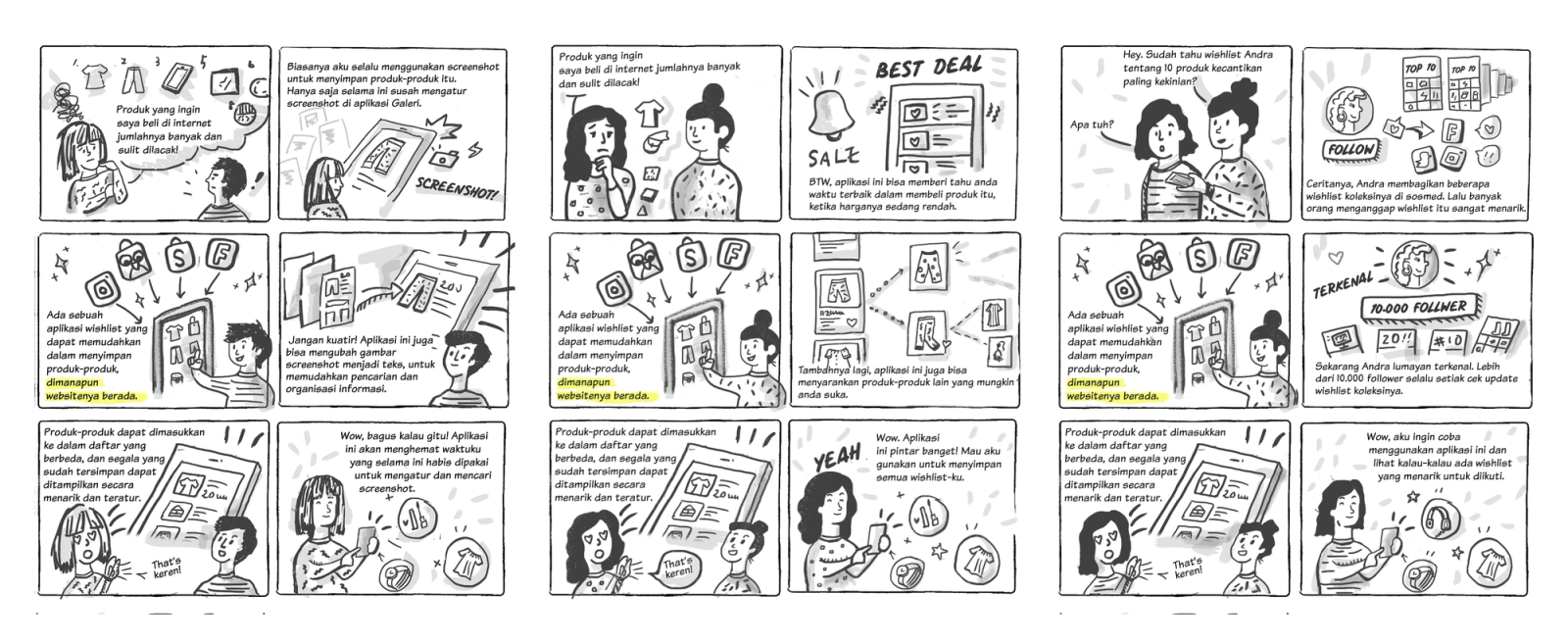
We mapped out the typical shopping journey, ran surveys, and did several rounds of desk research. An early idea that gained traction was an "Online Wishlist" — a way to save and track products across different e-commerce sites. It made intuitive sense: Indonesian users shop across multiple platforms (Tokopedia, Bukalapak, Lazada) and there was no unified way to keep track of things they wanted.
We developed that concept far enough to produce storyboards — three different scenarios exploring how a wishlist app might fit into a real user's day.
But we knew desk research would only take us so far. The team decided to go to Jakarta.
What We Found in the Field
The Indonesia trip changed everything.
Spending time with users in Jakarta — watching how they actually used their phones, what apps they opened, what they saved and why — surfaced a behavior we hadn't anticipated in our desk research: people were using screenshots as their primary "save for later" system.
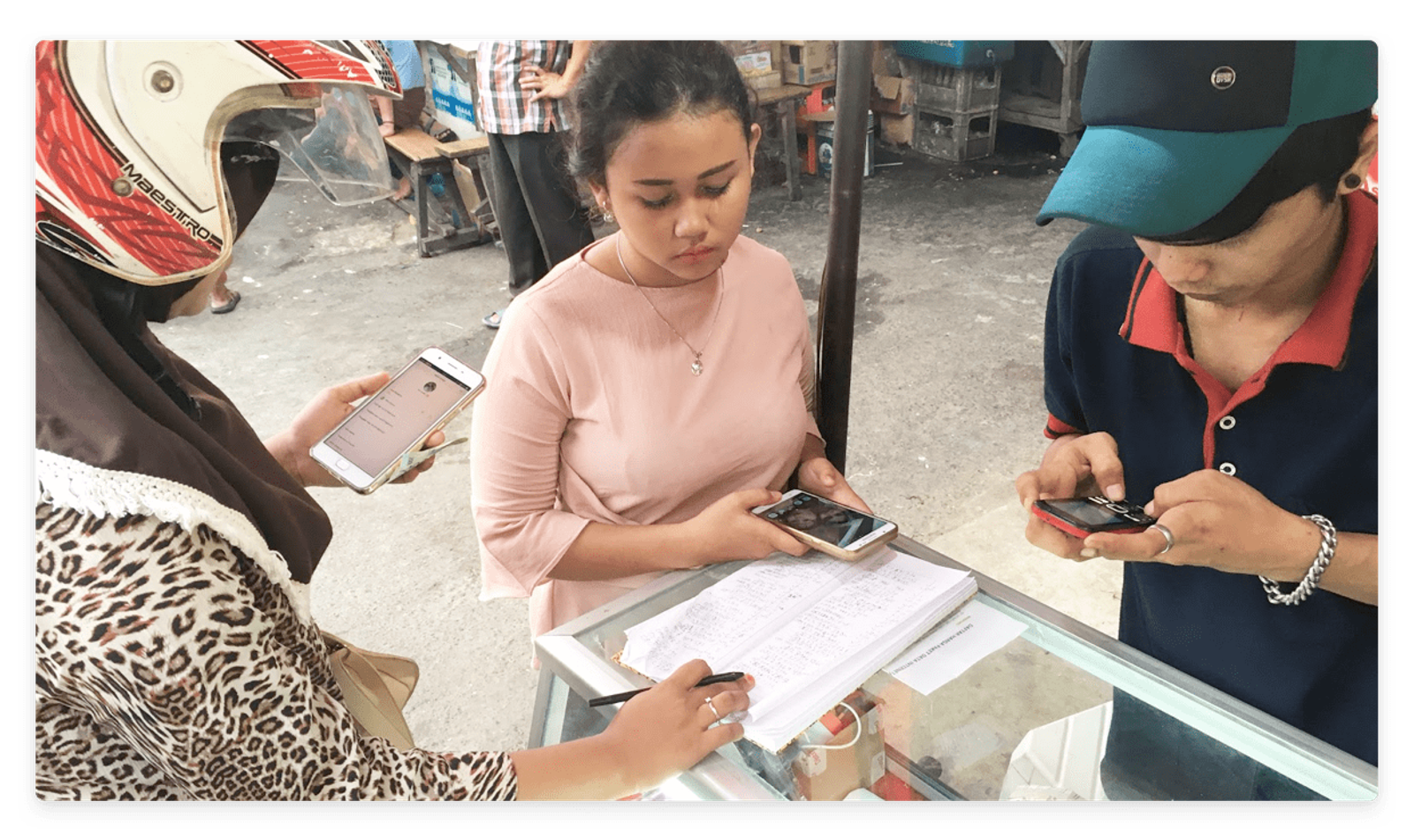
Not a wishlist app. Not bookmarks. Screenshots.
A product they liked on Tokopedia? Screenshot it. A price they wanted to remember before payday? Screenshot. A chat message with a bank transfer reference? Screenshot. Directions to a restaurant, a promo code, a friend's recommendation — all screenshots, all living in the same undifferentiated camera roll.
The second thing we noticed was why this behavior was so entrenched: data plans and device storage constraints shaped everything. Users on limited data didn't want to re-navigate to pages they'd already visited. Users on entry-level Android devices were ruthlessly pragmatic about app installs — they wouldn't add an app for every use case. Screenshots were free, fast, and universal.
These two observations dissolved the wishlist idea almost immediately. Users already had a saving system. What they lacked was any way to find a specific screenshot once it was buried in a gallery of hundreds.
The problem was retrieval, not storage.
Reframing the Concept
Back with the team, we reframed the product around the behavior we'd observed: help users organize and retrieve the screenshots they were already taking, at a scale that matched how they actually lived.
This led to a four-part product concept:
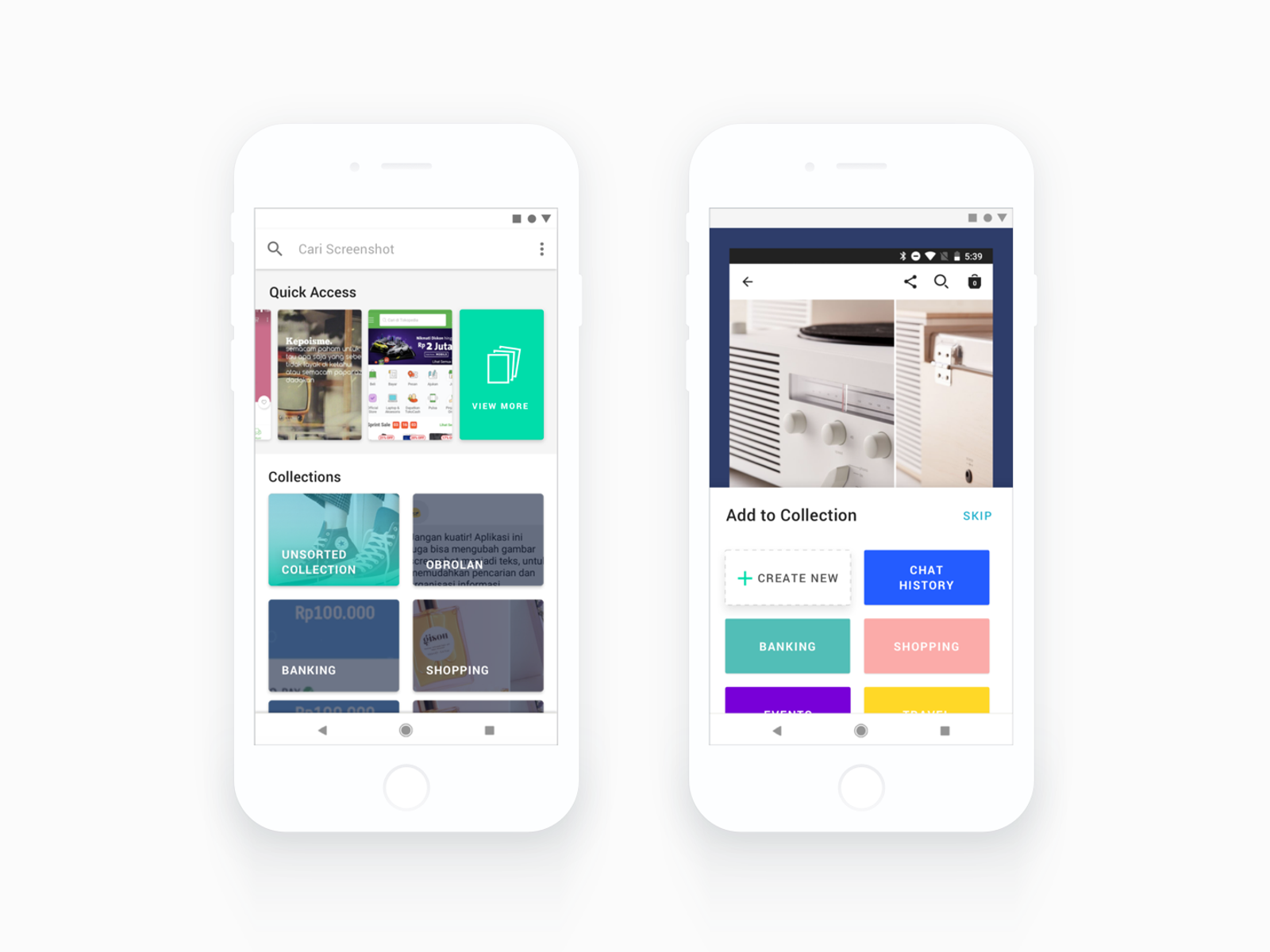
Classify — Let users quickly assign screenshots to collections (Shopping, Chat History, Banking, Travel) as they take them, or batch-sort later. The friction of organization had to be near-zero or users wouldn't do it.
Manage — A home screen built around Quick Access (recent screenshots) and Collections, so users could browse visually rather than scrolling through an undifferentiated roll.
Searchable — OCR to detect text within screenshots, making them keyword-searchable. This was the technical bet that unlocked the whole value proposition: a screenshot of a product listing becomes findable by searching the product name or price.
Live Screenshot — The most ambitious feature. If a screenshot contained recognizable text from an e-commerce site, the app could surface a direct link back to that page. A screenshot of a pair of shoes on Lazada could bring you back to buy them, weeks later. We called it "Live Screenshot."
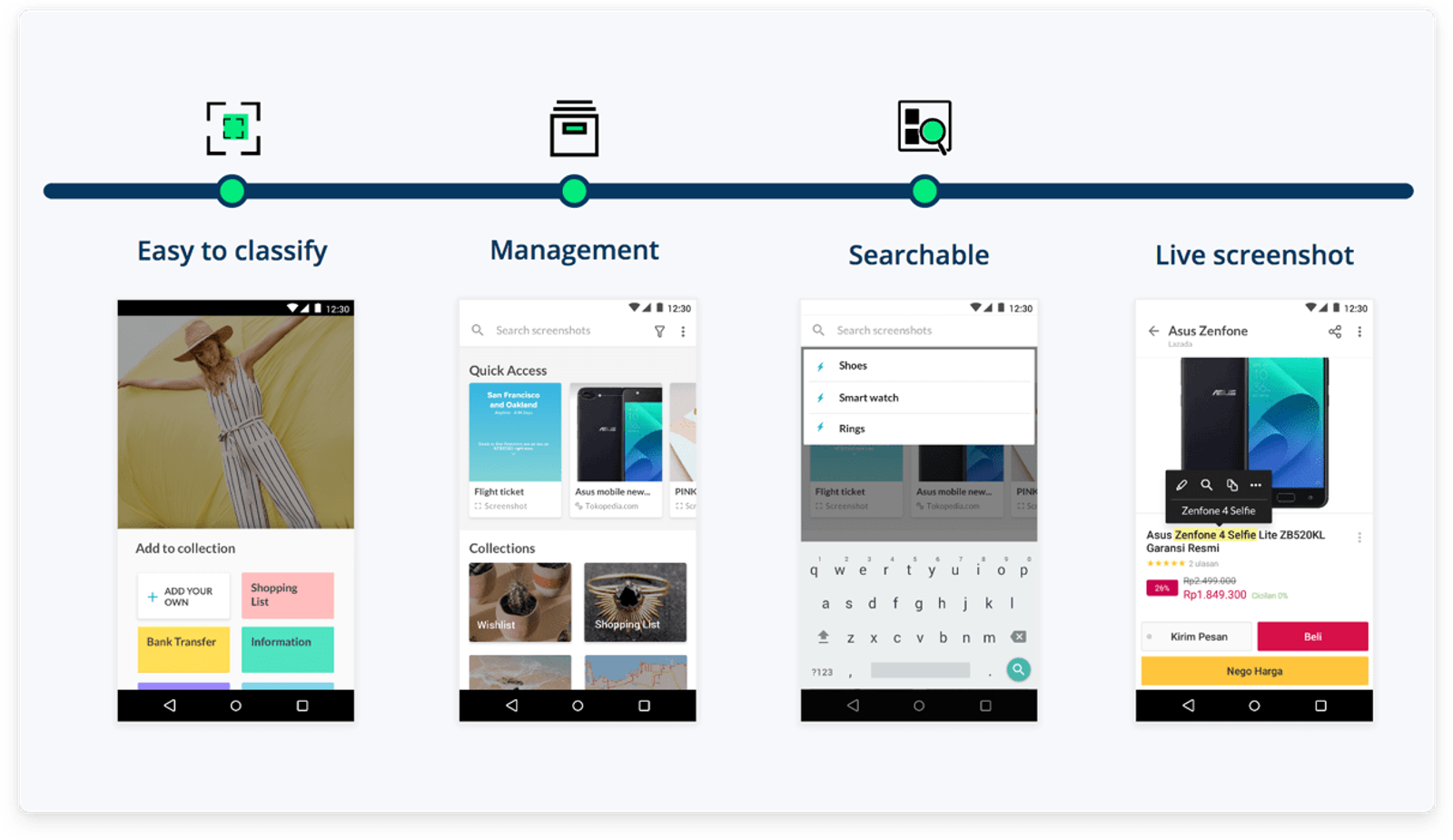
The concept was a meaningful departure from where we started. A wishlist app is a new behavior. This was a tool that amplified an existing one.
Building the Prototype
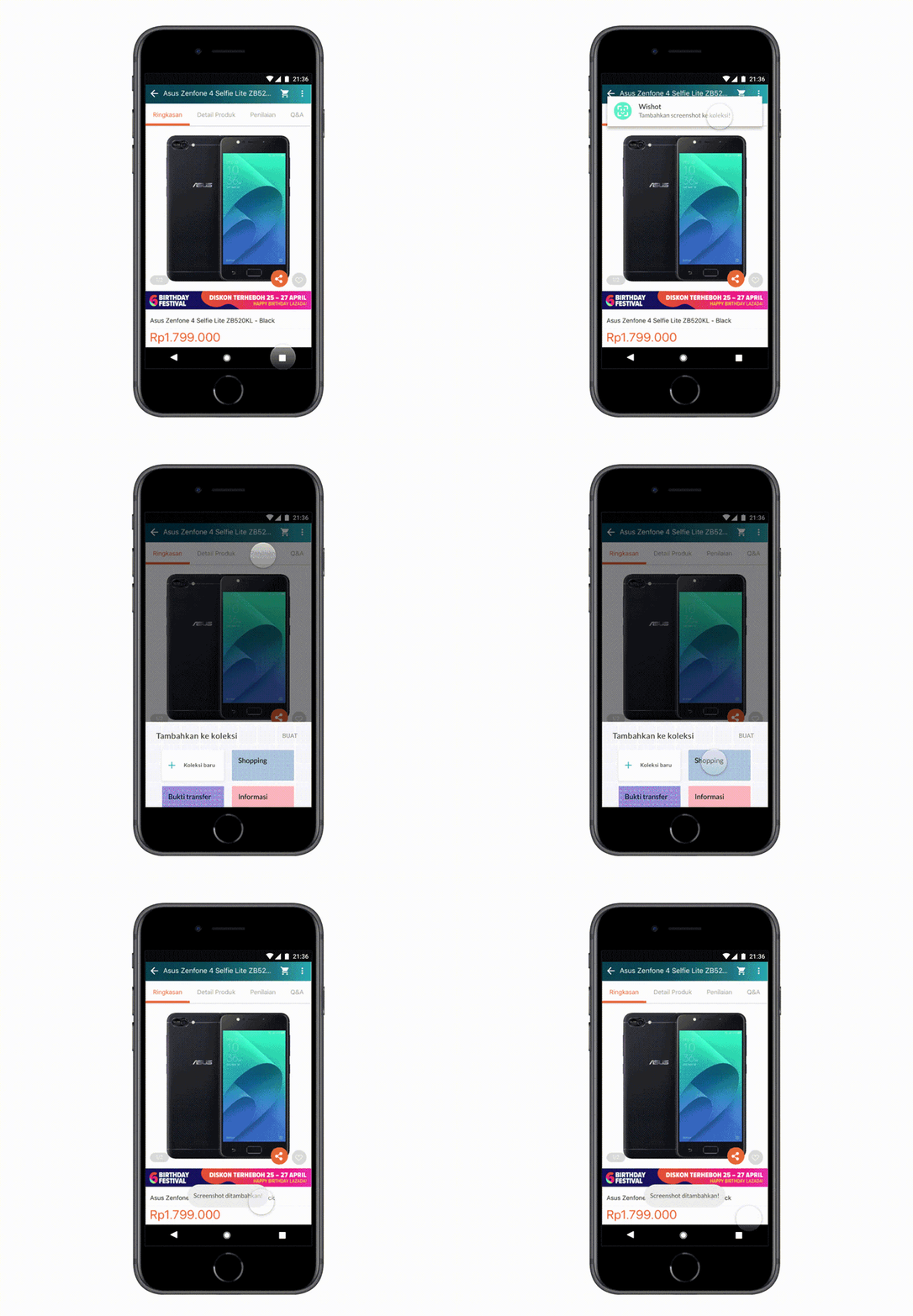
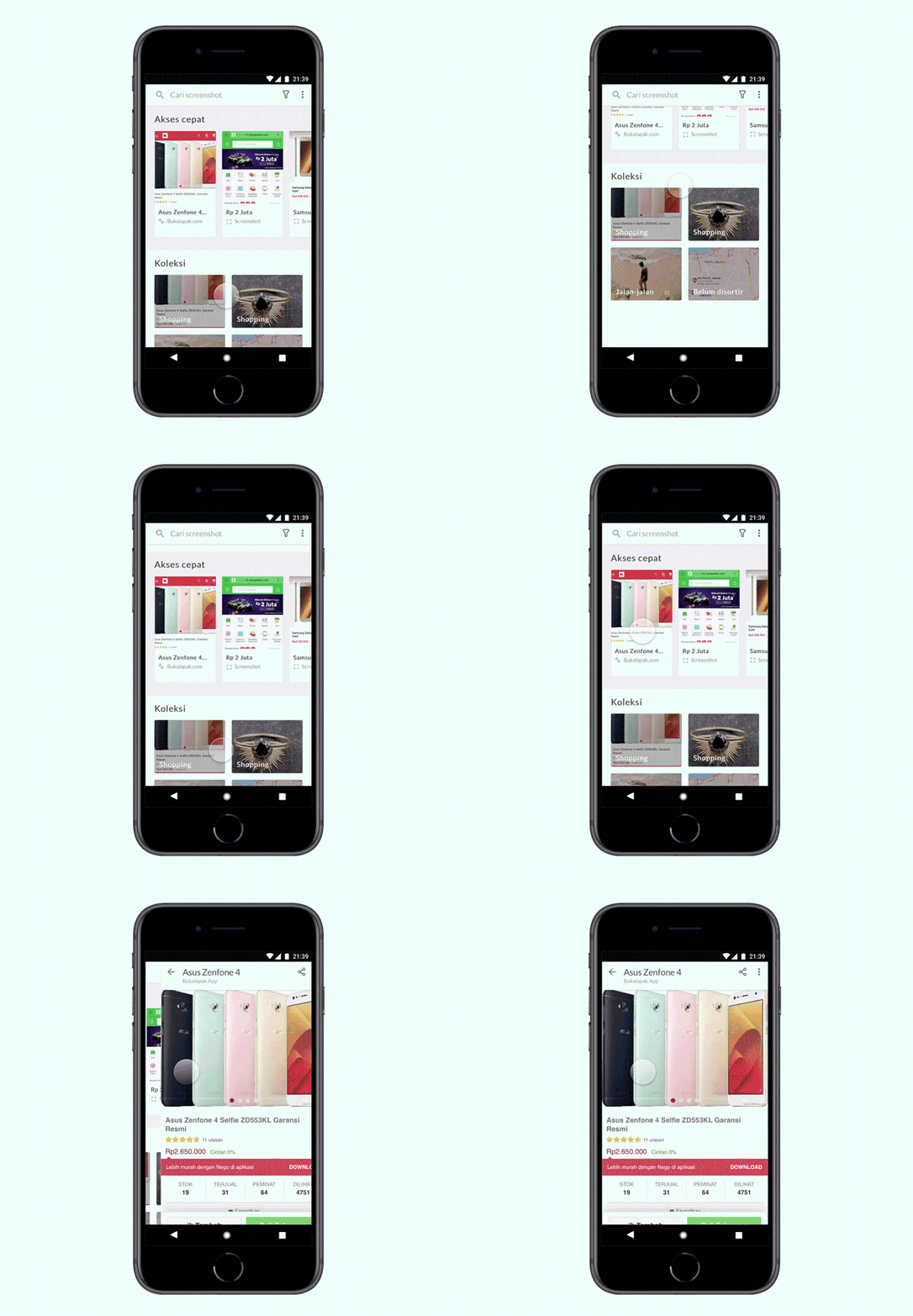
Once the concept was aligned, I took on the prototyping for user testing. Using Framer, I built an interactive prototype that let users simulate two core flows:
1. Adding a screenshot to a collection — taking a screenshot of a product and assigning it to a named collection
2. Browsing and searching saved screenshots — navigating their library and using keyword search to find specific content
The choice of Framer over a static InVision prototype was deliberate. The flows we needed to test involved gesture interactions — long-press to add a topsite, swipe to assign a collection, real-time search input — and a clickable prototype couldn't replicate that fidelity. Users needed to feel the actual rhythm of the interaction to give us useful feedback.
User Testing in Jakarta
The team flew back to Jakarta with the prototype, spending a week running sessions with eight recruited participants. I was part of the team conducting and observing sessions.
The Jakarta testing confirmed the core direction: users immediately understood the screenshot-as-memory-system framing because it matched their existing behavior. The Collections concept resonated strongly — having named buckets (Shopping, Banking, Chat) rather than a single undifferentiated gallery felt intuitive.
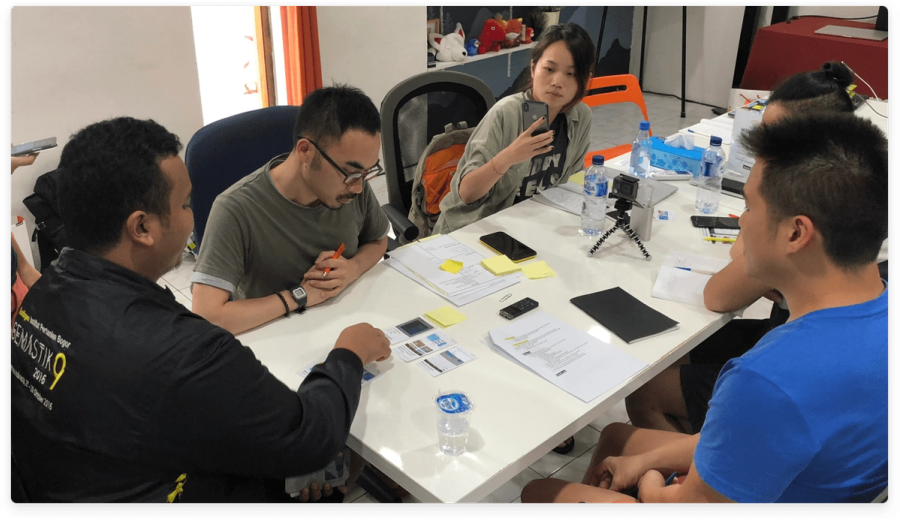
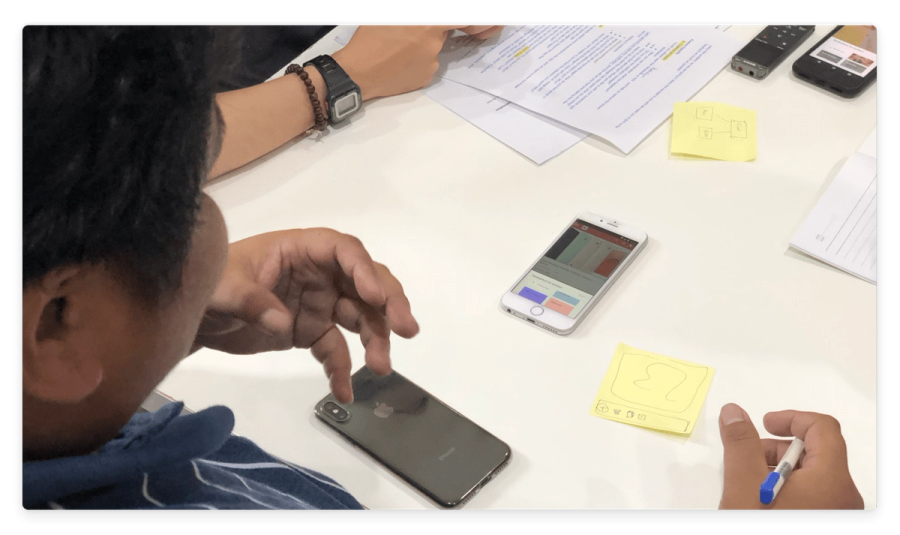
A few things changed during the week. The original naming ("Wishot," combining wishlist and screenshot) was quietly retired — users didn't connect with the wishlist framing, which reinforced that we'd made the right pivot away from it. We also iterated on the onboarding flow and the way collections were surfaced on the home screen, responding to patterns we observed across sessions.
The combination of testing and in-market observation gave us a level of confidence in the direction that desk research alone couldn't have provided.
From Prototype to Product
After the trip, the team compiled the research findings and continued refining the concept. Rather than going straight to a full build, we created a landing page to validate interest before committing engineering resources.
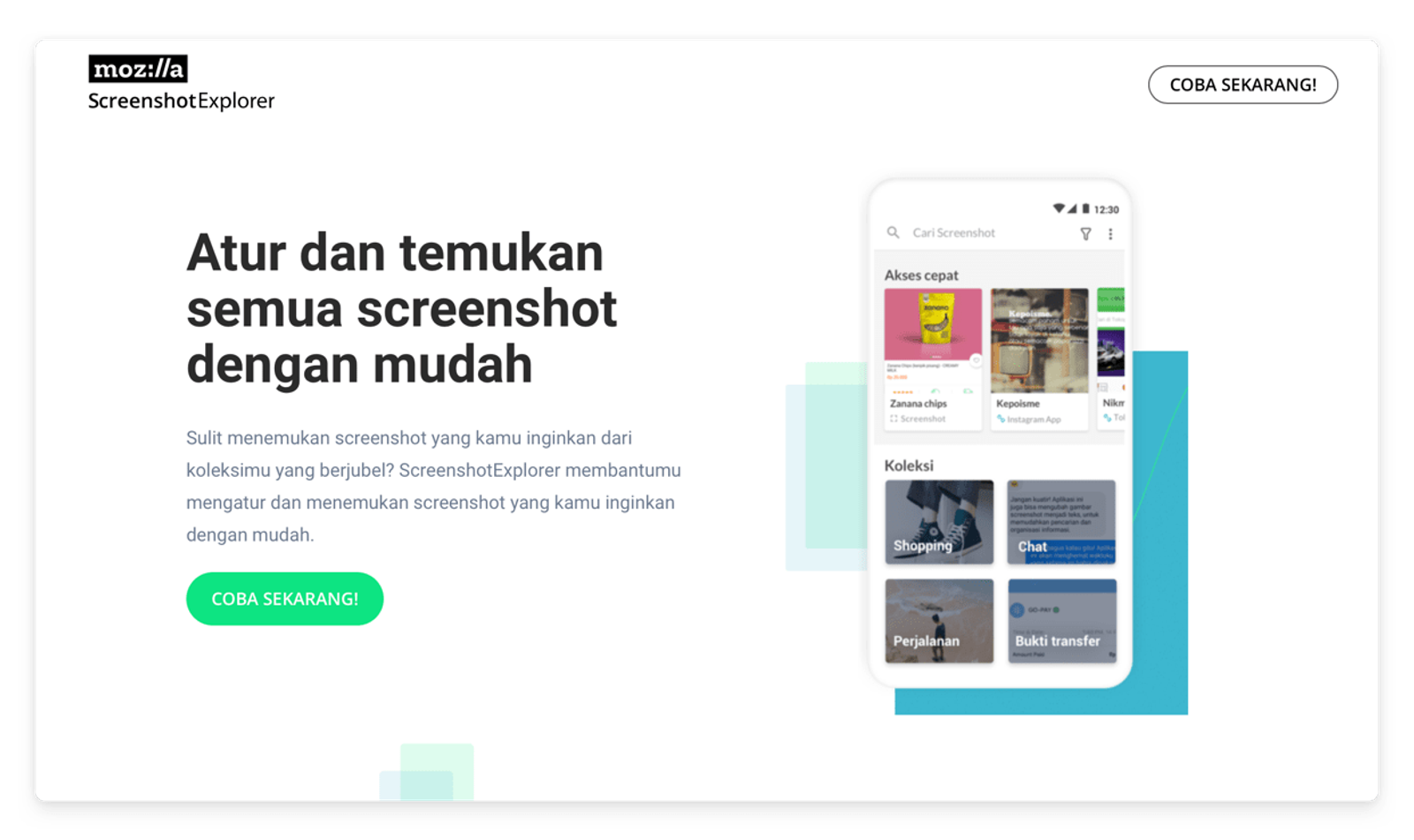
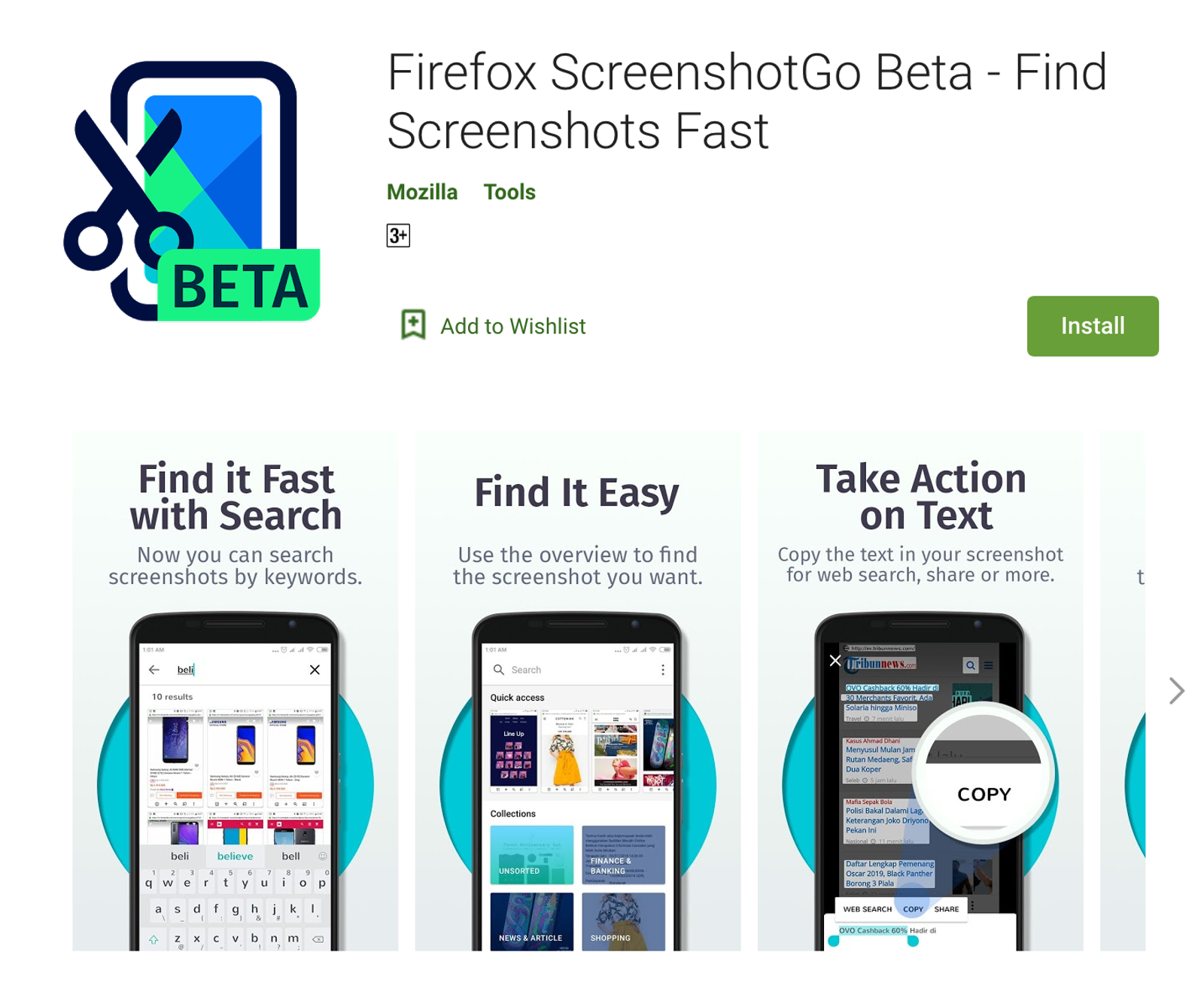
The landing page test gave us enough signal to proceed. The team — designers and engineers working together — built the full product and launched it on Google Play Store as Firefox Screenshot Go.
Impact
100,000+ installs. 4.6-star average rating.
For an exploration project that began as a research question about shopping, those numbers reflected real resonance with the audience. The 4.6 rating in particular — higher than Firefox Lite's 4.3 despite a smaller install base — suggested the product was genuinely solving a problem users cared about, not just acquiring passive installs.
Reflection
This was my first experience of how field research can reshape product direction. We arrived in Indonesia with a hypothesis, and within days reality replaced it—not because the idea was wrong, but because users revealed something more compelling.
The shift from wishlist to screenshot organizer wasn’t a failure; it meant the brief worked. We aimed to understand real needs and uncovered one missed in desk research. Users in Jakarta had already built a workaround, so our role became refining and improving what they’d created.
This project also shaped how I approach prototype fidelity. Choosing Framer over InVision wasn’t just tooling—it was a product decision. For gesture-heavy mobile use, clickable prototypes fall short; you need something users can actually use.
Outcome
100,000+ installs. 4.6-star average rating.